How do you add a secret key in Apptrvove, and what is its relevance?
Security is the Underlying Principle in Mobile Attribution and SDK Integration. The Origin of All Installs Identified, Events Logged, and Attribution Calculated Should All Originate from a Source That has been Validated as Trusted. This is where this plays a Critical Role.
While integrating the AppTrove Android SDK, a Developer will send Data from their app to the AppTrove Server using a combination of the Developer’s Secret ID and Secret Key. This process Provides Authentication for the Developer’s Requests And Validates that the Install, Events, and attribution signals sent to AppTrove Are Legitimate And Secure.
In this article, we will Examine What this Key Is, Why You Should Be Using It, And How You Can Add A Secret Key To Your Application Using The AppTrove SDK.
What is a Secret Key?
A Secret Key is a Secure Method for Authenticating Communication between Your Application and the AppTrove Servers, and it will ensure That You Are Sending Legitimate Data to AppTrove via Your Application.
This Is The Equivalent To a Digital Signature In Mobile SDK Integration. Whenever you send Tracking Data from your Application to the AppTrove Servers, The Use Of Your Key Will Allow The AppTrove Servers To Verify That The Request originated from you and Not From A Scammer or Spoofed Request.
If a secret key does not exist, it is possible for an outside party to create a fake install event or send a false signal related to attribution. Having a this kind of key protects your mobile marketing data from being compromised.
You can think of the key as a private handshake between your application and AppTrove, so only the application with the proper secret key can establish a secure connection.
Importance of the Secret Key
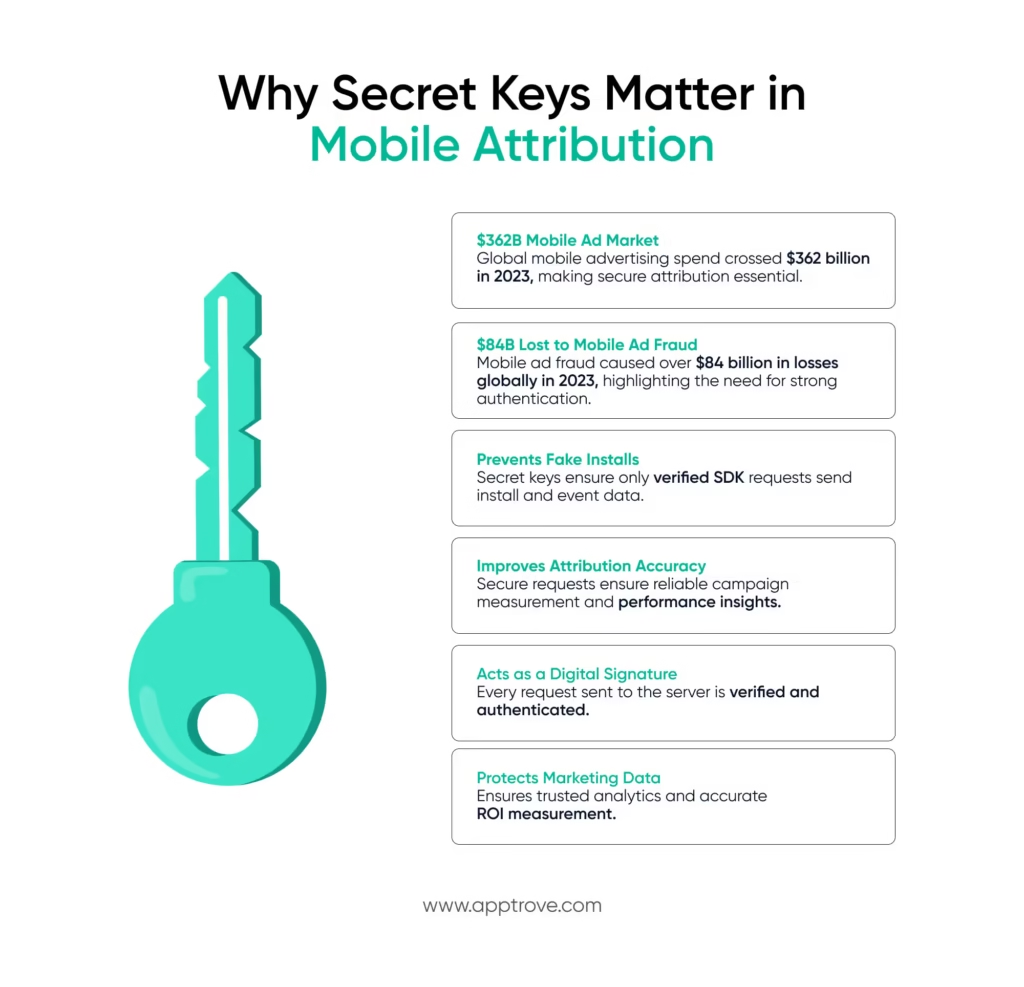
This plays an important role in the security of mobile attribution systems. It guarantees that the data collected will be valid and trustworthy.
Authentication of SDK requests
The secret key authenticates the application to the AppTrove server each time the SDK communicates with the server. If an unauthorised or manipulated request is made, it will be rejected by the AppTrove system.
The SDK signs requests using its credentials, such as the Secret ID and the Key, to authenticate the request and guarantee that Install and Event Tracking data will be attributed securely to a particular application.
Fraud Prevention
Mobile marketing platforms face fraud attempts, such as creating fake installs, to manipulate analytics or advertising performance.
If this key is used, it will help to prevent such attempts by allowing only real SDK requests to be processed.
Secure Attribution
Attribution accuracy is the backbone of performance marketing. This protects attribution pipelines by ensuring that only verified data reaches the analytics platform.
How SDK Signing Works in AppTrove
SDK signing within the AppTrove environment utilises two individual pieces of information (credentials):
- Secret ID and Secret Key
Both o are used to verify the authenticity of request calls made from the Android SDK to the AppTrove servers. Before processing install event data sent via the SDK, AppTrove validates both pieces of credential information. This validation process adds an extra layer of security within the tracking data being sent, therefore preventing unauthorised SDK integrations from sending tracking data.
The following illustrates how to retrieve and add the Secret Key in AppTrove:
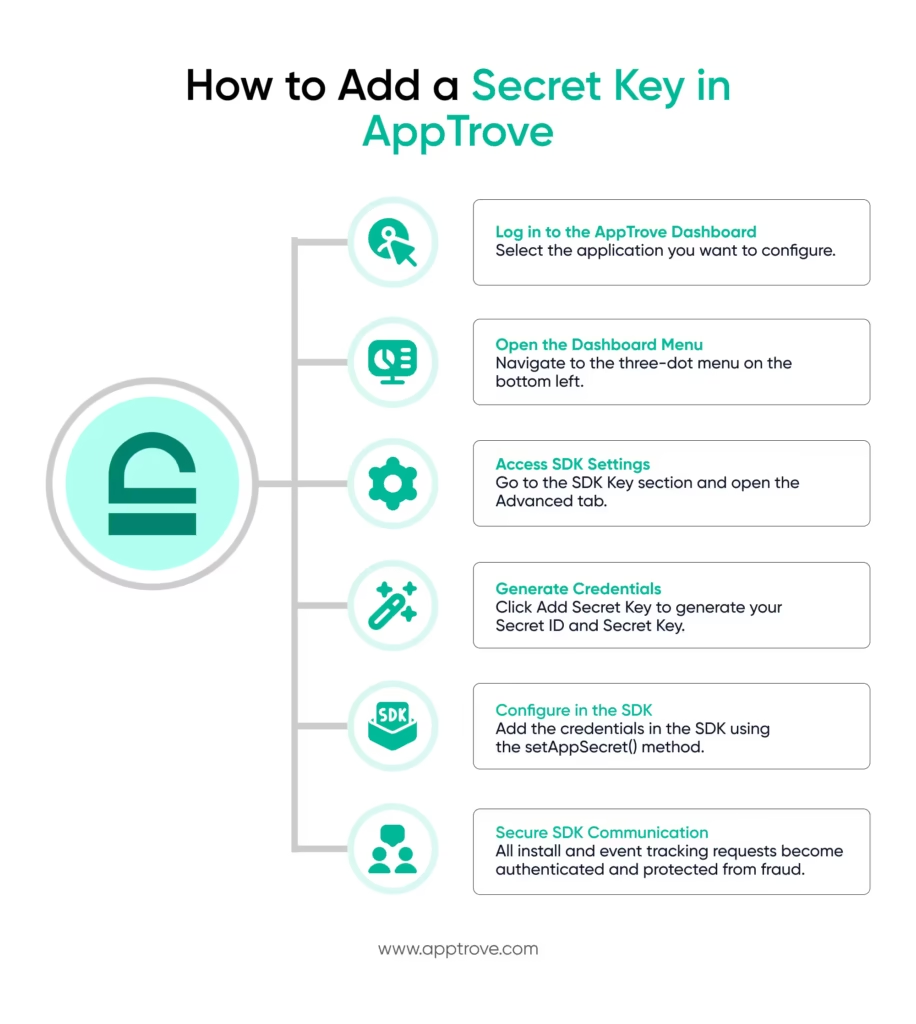
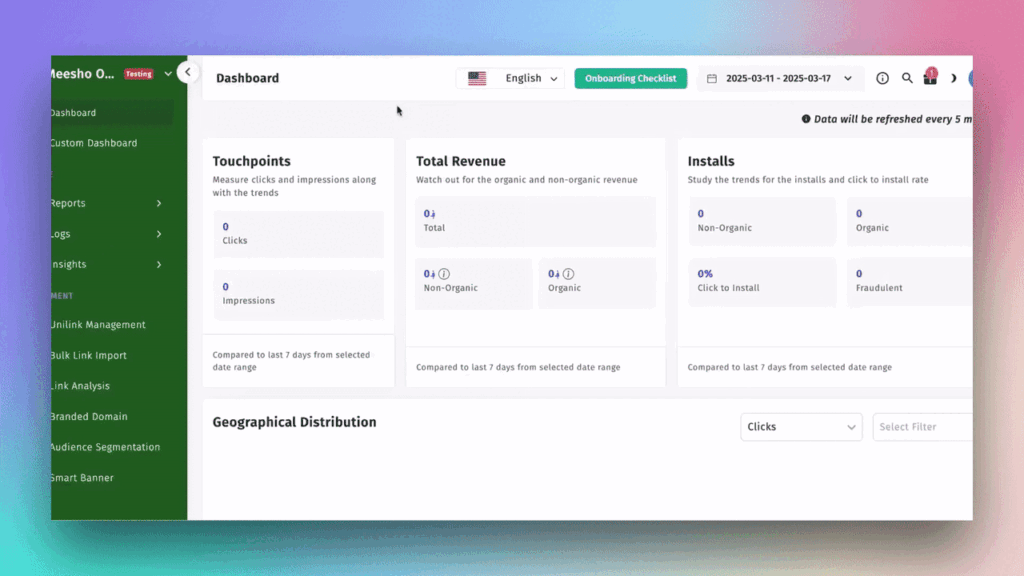
Adding this in AppTrove is very easy and can be done through your AppTrove (Trackier) Dashboard. To generate and retrieve the Secret ID and the Key, perform the following steps.
- Step 1: Log in to Dashboard
Log in to your AppTrove – Trackier panel and then select the application you wish to configure.
- Step 2: Access Dashboard Menu
Once inside your selected applications dashboard, navigate to the left side of the screen (bottom left) where you will see a three-dot menu button.
- Step 3: Open SDK Settings
Click on the three-dot menu button. Scroll down inside the three-dot menu, looking for the SDK Key section. Click on the Advanced Tab.
- Step 4: Generate Your Credentials
Click the Add Secret Key button. Upon clicking the button, your credentials will be generated automatically:
Secret ID and Secret Key will be generated for you. You will then use the credentials to perform the SDK signing operation.
Implementing the Secret Key in the Android SDK
Once you obtain the credentials, you must add the key to your Android SDK configuration.
Below is an example implementation in Java.
Android SDK Implementation
import android.app.Application;
import com.trackier.sdk.TrackierSDK;
import com.trackier.sdk.TrackierSDKConfig;
import java.util.HashMap;
public class MainApplication extends Application {
@Override
public void onCreate() {
super.onCreate();
final String TR_SDK_KEY = “XXXXXXX-XXXX-XXXX-80e3-5938fadff”;
TrackierSDKConfig sdkConfig = new TrackierSDKConfig(this, TR_SDK_KEY, “development”);
sdkConfig.disableOrganicTracking(true);
sdkConfig.setAppSecret(“secretId”,”secretKey”);
TrackierSDK.initialize(sdkConfig);
}
}
In the implementation above, this key is passed along with the Secret ID using the setAppSecret() function.
This step ensures that every request sent by the SDK contains the authentication credentials required for secure tracking.
Best Practices for Managing a Secret Key
Always be careful when working with a secret key. A secret key is used to authenticate your application’s request to grant your application access to manipulate data. This means that if your secret key becomes public, you will potentially expose the integrity of the data.
The following are a few best practices when it comes to working with a secret key:
- Do not make your secret key publicly available
Do not commit your secret key directly to public repositories.
- Use Secure Storage
Store secret keys in encrypted or secure configuration environments.
- Restrict Access
Only trusted developers and systems administrators should have access to the secret key.
- Rotate Keys as Needed
If you think that your secret key was made public, create a new secret key immediately from the dashboard.
The Role of Secret Keys in Secure Mobile Attribution
Data integrity is extremely important in mobile advertising ecosystems. The basis for how brands make advertising decisions is based on install attribution, event tracking, and the measurement of a campaign’s overall performance. If a fraudulent event is introduced into the ecosystem, it can mislead analysis and cause brands to make bad decisions.
The key protects the entire data pipeline by allowing only legitimate SDK integrations to communicate with the attribution platform. Therefore, this key serves as a gatekeeper to the ecosystem, allowing verified requests in and denying malicious ones.
To conclude
While this may seem like a simple configuration detail during SDK integration, the importance of having a key cannot be overstated. Having a secret key is necessary for authentication, fraud prevention, and maintaining the integrity of mobile attribution data.
Adding an AppTrove secret key is easy:
- Generate the AppTrove secret key from your AppTrove Dashboard.
- Get your Secret ID and the key.
- Configure those credentials in your SDK configuration.
After configuring the key into the SDK, it becomes an invisible protector of your mobile analytics, safeguarding each install, every event, and every piece of insight that your mobile analytics provide.
We are delighted to have assembled a world-class team of experienced professionals who are ready to take care of your queries and answer any questions you may have. Feel free to reach out to us at any time by emailing us at support@apptrove.com or by using the in-platform chat feature. We’d love to hear from you!
from Apptrove https://apptrove.com/how-do-you-add-a-secret-key-in-apptrvove/
via Apptrove


Comments
Post a Comment