New on Apptrove: Smarter Click Capping with Click Cap Rules
With mobile marketing becoming more challenging, it is now necessary to consider the quality of traffic, along with its volume. Though fraud detection can help spot suspicious clicks, it is vital for advertisers to manage the volume of their redirect traffic too.
If click capping isn’t implemented, significant traffic from non-organic sources might lead to numerous redirects produced in no time. Any abnormal clicks, for instance, can compromise campaign efficiency and make it hard for advertisers to manage their redirect limits.
To address this, we’re introducing Click Cap Rules, a new capability in Apptrove‘s Traffic Safety Suite that brings configurable click capping to redirect management. Advertisers can now set redirect limits while Blocked Redirect Enforcement prevents clicks flagged as fraud from reaching their targets.
What Is Click Capping and Why Is It Important?
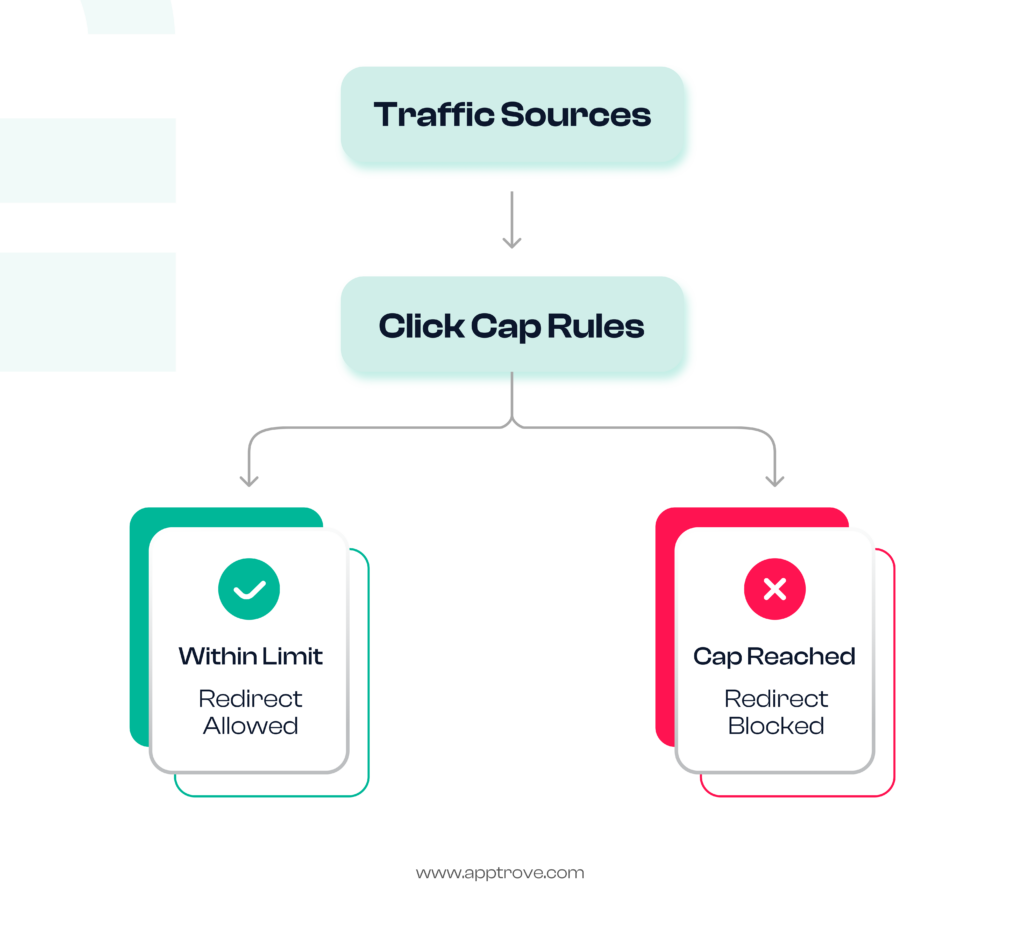
Click capping is defined as the limiting of the number of redirects issued for a particular source of traffic over a certain period of time.
While some systems are designed to detect fraudulent traffic, they do not give advertisers the ability to control how much redirect traffic they generate. Tracking the number of redirects gets challenging as the ads are distributed through lots of partners or agencies.
By employing click capping techniques, advertisers can set limits on the redirects issued for traffic sources they work with. The process of implementing click capping guarantees publishers do not have to wait for unusual traffic patterns.
With the use of our Click Cap Rules, click capping technology is built into the existing program.
Setting up Click Capping Related to the Sources of Your Traffic
Click Cap policy includes two different scopes, allowing advertisers to benefit from managing the processes of the campaigns.
Agency Click Capping
Advertisers can set up a click capping rule for agency-managed traffic that will apply to particular partners that fall under the agency. The partners can be added one by one or collectively during configuration.
To avoid double counting, one partner can be a part of only one active rule. Partners assigned to active rules are not shown during configuration.
Direct Partner Click Capping
Directly integrated partners that the advertisers work with can set up their own click capping rules independent of agency traffic.
The rules set up in the agency won’t affect direct partner traffic, which means that any redirection is processed based on the respective rule, and the two traffics are completely separated.
Setting Redirect Limits to Conform to Campaign Needs
Every Click Cap Rule has two adjustable cap windows:
– Hourly Cap
– Daily Cap
These allow advertisers to manage traffic spikes effectively and total daily redirects.
In order to avoid invalid configuration, we check the rules at the time of saving. For instance, the hourly cap must be lower than the daily cap, ensuring consistency in redirection.
The Mechanism Behind Click Capping in Apptrove
The incoming clicks are subject to proper evaluation.
When any click comes to Apptrove, the platform checks whether the click is coming from the agency’s side or a partnered source. The click is processed normally if there are no capping rules present for that source.
On the other hand, if there is a matching rule in the system, then we evaluate the limitations in order. The first evaluation would be of the hourly limit, followed by the daily limit. Once the limit is reached, the new clicks will be blocked for that source until the next applicable limit opens.
Another important aspect of click capping is how the counters are kept.
The clicks counted for the purpose of click capping have to be authentic and non-organic.
The following clicks do not count toward the limits:
– Clicks which failed the fraud validation
– Clicks which were blocked because of another capping rule
– Organic clicks
– Traffic from self-reporting networks
This helps in making sure that the click capping mechanism works correctly and reflects the real amount of redirects instead of counting inflated traffic volumes caused by invalid clicks.
Effectively Managing Redirects After Reaching the Set Limit
Click capping is not just about stopping redirects; rather, it gives the advertisers the ability to decide what should happen afterwards.
Once a configured limit is reached, an advertiser has two options:
– Show a neutral system page, or
– Redirect to a custom URL.
This type of optional redirect of the campaign allows controlled user experience and avoids overwhelming the main destination with a high volume of unnecessary redirects.
Strike a Balance on Click Capping With Instant Alerts
Click cap management can be simpler if the advertisers get an alert on the ground realities of click cap utilization.
Apptrove provides alerts inherently.
The advertisers get in-dashboard notifications on reaching 80 and 95% of either click cap. Once the click cap is fully consumed, Apptrove alerts the advertiser via two methods: an in-dash alert and an email notification, so that the advertiser knows about it even while being offline.
All rejected redirects are recorded with the cap window and the rule name associated with it, providing enhanced visibility to the traffic trends and reasons behind non-redirects.
Increase the Capability of Click Capping through Blocked Redirect Enforcement
Apptrove is launching Blocked Redirect Enforcement along with Click Cap Rules, which serves as a convenient backend feature that resolves some existing problems with redirection.
Previously, when the click was rejected by fraud prevention, it could still be redirected. Therefore, despite the rejection of the click as invalid, the redirection occurred as usual.
Now, the blocked clicks would not be able to go through HTTP redirects. Instead, Apptrove has started issuing neutral HTTP 200 response pages, thus preventing invalid traffic from reaching the app store page.
There are no settings required for the implementation of the upgrade, as it works automatically for any campaign.
Enhanced Click Capping for Better Redirect Management
Click capping is evolving from a mere tool for controlling website visits to an effective method for regulating the quality of redirects.
Click Cap Rules can allow advertisers to implement redirect limits based on their existing campaign, provide automation-related enforcement of thresholds, enable alerts, and offer insights on redirects. When combined with Blocked Redirect Enforcement, these features ensure that rejected traffic remains blocked before it reaches its destination, resulting in a better redirect experience.
Click Cap Rules are a part of Apptrove’s Traffic Safety Suite and allow advertisers to take click capping beyond just traffic management into the realm of optimizing redirects and providing better attribution.
from Apptrove https://apptrove.com/click-capping/
via Apptrove


Comments
Post a Comment