How does Apptrove support Apple’s App Tracking Transparency (ATT) framework?
App Tracking Transparency (ATT) is Apple’s privacy system. ATT lets users control whether apps can track them across other apps and websites. Whenever a particular application wants to get access to tracking features, it needs to get permission before doing it.
Starting with iOS 14.5, all applications must be explicitly authorised by users to access IDFA for tracking purposes. This has completely changed the landscape of mobile attribution, measuring campaigns, audience segmentation, and advertising within the scope of iOS devices.
What Is App Tracking Transparency?
App Tracking Transparency is Apple’s permission system that allows controlling cross-app tracking as well as cross-website tracking. If an application wants to track a user’s activities in applications and websites owned by other companies, it must get permission through Apple’s prompt.
Users are given the option to allow or deny tracking by responding so that the application either gets access to the IDFA or does not get access to it.
How App Tracking Transparency Works
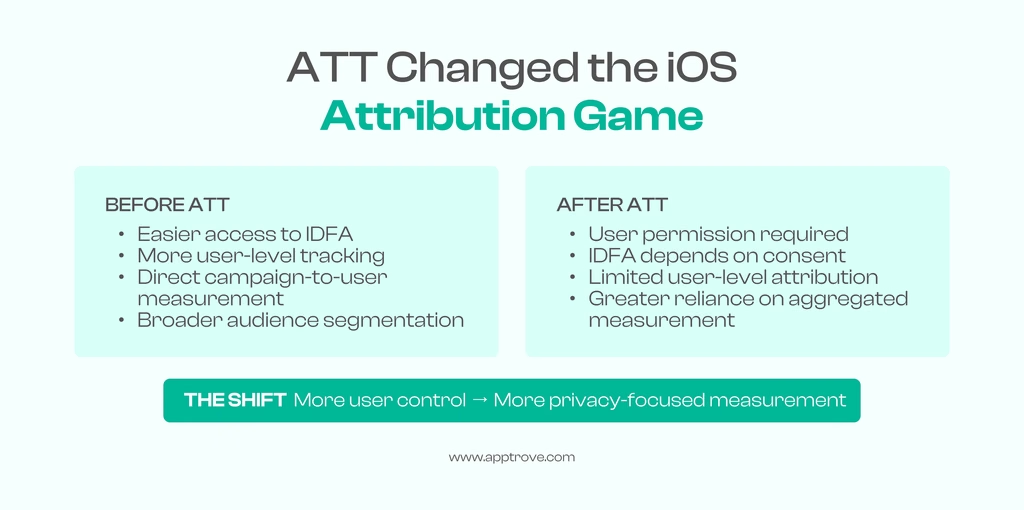
The ATT (App Tracking Transparency) protocol’s foundation is the app tracking prompt requesting permission from the user whether they would like to permit an app to track their activity.
The basic flow is as follows:
1. The app requests tracking permission.
2. The iOS operating system prompts the user for tracking permission.
3. The user determines if permission is granted or denied.
4. If tracking is granted, the app has access to IDFA tracking information.
5. Cross-app tracking can take place as long as both the advertising app and the publisher app get required user permission.
6. If the tracking permission is denied, the IDFA cannot be used for the purpose, and cross-app tracking cannot happen.
ATT Status and Consent
Every user has an App Tracking Transparency status that indicates whether tracking is permitted and whether IDFA access is available.
| ATT Status | Consent / IDFA Available | Description |
| Restricted | No | Apple determines this status based on factors such as age or device settings. Users cannot change it, and the ATT prompt is not displayed. |
| Not Determined (iOS ≤14.4) | Yes | The default state before ATT enforcement. |
| Not Determined (iOS 14.5+) | No | The default state until the user responds to the ATT prompt. |
| Denied | No | The user has rejected tracking or disabled it through device settings. |
| Authorized | Yes | The user has permitted tracking through the ATT prompt. |
What Does Each ATT Status Mean?
Restricted implies that tracking has been limited by Apple, depending on the applicable device and user status. The user does not have the chance to change this status, nor is the request to grant permission shown. Not Determined indicates that the user has not yet acted regarding the App Tracking Transparency request. Starting with iOS 14.5, users cannot use IDFA when they are in the Not Determined status.
Denied means that the user has chosen the option of tracking decline or has switched it off in the device settings. As a result, it is impossible to obtain IDFA. Authorized indicates the fact that the user has agreed to permit the tracking. In this situation, it is possible to use IDFA for both attribution and audience division purposes.
Key Points to Know About ATT
When dealing with App Tracking Transparency, there are numerous factors to take into account:
- Display of the App Tracking Transparency prompt is up to the app, but it cannot obtain user approval without trying to get their agreement.
- IDFA becomes available when the user’s App Tracking Transparency status is “Authorized.”
- In accordance with ATT enforcement, users are not automatically allowed to be tracked.
How ATT Impacts Mobile Attribution
The way in which advertisers assess and associate their iOS campaigns has been transformed by App Tracking Transparency due to the fact that consent determines access to user-level tracking information.
When users approve of tracking their data, advertisers get to make the most of user-level attribution capabilities whenever appropriate. When users deny access to their information, IDFA is off-limits, and the tracking is limited.
In connection with this, advertisers resort to a wide range of attribution techniques. User-level attribution is preferred for authorized users. Aggregated attribution techniques like SKAdNetwork (SKAN) are used instead for users who deny access to their information.
This creates a unique environment of measurements where both user-level and aggregated data are applied instead of one type of attribution.
What Apptrove Offers in Terms of ATT
Apptrove has pre-built App Tracking Transparencysupport in its SDK, which allows apps to manage permission requests.
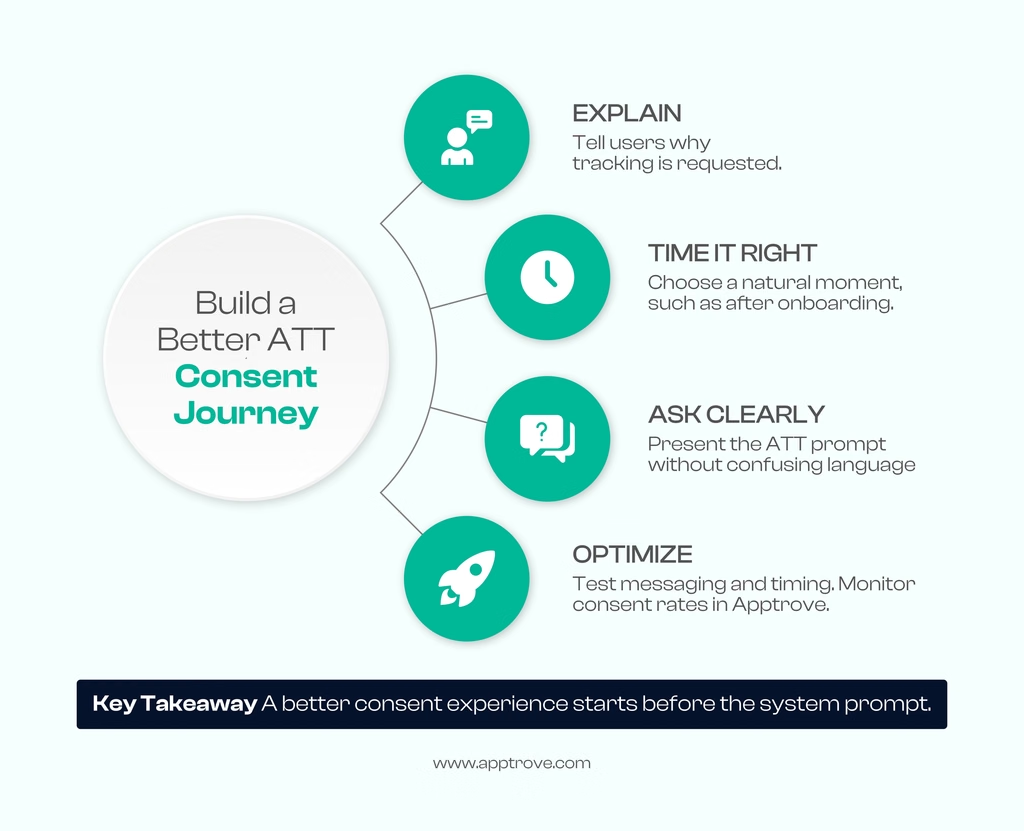
SDK Implementation
The Apptrove SDK comes with ATT capabilities. It allows you to prompt the ATT permissions, determine a user’s approval status, and handle IDFA access in accordance with the permission granted.
Recording Consent
The SDK has four statuses of a user as a consent issuer:
- Approved
- Denied
- Not Determined
- Restricted
Controlling IDFA Access
The ATT authorization of a user influences the use of IDFA:
Authorized: Users allow for IDFA collection, enabling marketers to attribute their advertising to customers and segment their audience based on their behavior in apps.
Denied or Restricted: The users do not authorize IDFA collection, but Apptrove can still implement alternative methods of attribution in full compliance with applicable privacy policies.
ATT Request Best Practices
The way an ATT prompt is delivered can have an impact on the way the users perceive their decision. A streamlined process can guarantee better understanding.
Message Before the Request
It is a good practice to encourage the user to accept or decline the tracking request through an upfront message. The app can provide information in advance so that users understand what information is required and how it is going to help them.
Select the Right Moment
The ATT request should be made when the user is not busy with something important. Instead, it makes sense to raise the matter at the appropriate time, for instance, after the onboarding process or while explaining a useful feature.
Test and Iterate
Test different versions of your pre-prompt messaging, design, and timing. Monitor consent rates in Apptrove to understand which approaches perform better and refine the experience accordingly.
Monitoring ATT Performance
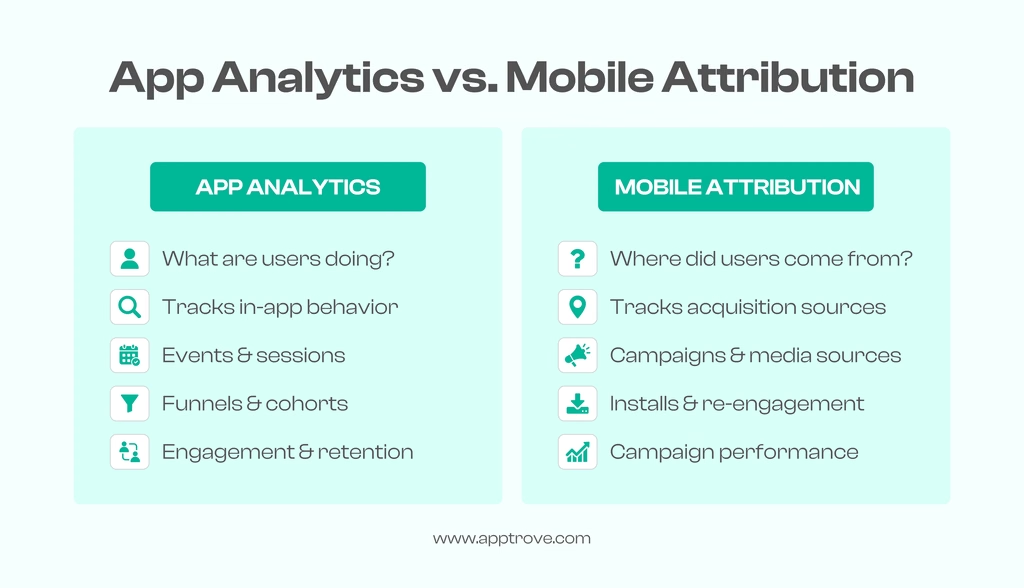
After the adoption of ATT, monitoring consent behavior can provide insights into how users react to tracking requests.
Monitor Dashboard Metrics
Check ATT consent rates and gauge how they differ between users who allowed tracking and those who rejected tracking.
User Segmentation According to ATT
User classification would benefit from applying ATT. This will enable teams to customize their offers, messages, as well as pursue user re-engagement strategies.
Analysis of Consent Information
Consent information may be exported for analytics. Some analytical properties could be as follows:
- Location
- Campaign
- User group(s)
Thus, teams will be able to observe the trend of consent behavior.
Conclusion
ATT is meant to provide users with more control of the tracking process because it is necessary to obtain explicit consent from users prior to conducting tracking with applicable details.
With ATT:
- Users define if they wish to be tracked.
- The availability of IDFA depends on the consent status.
- Non-consenters cannot have IDFA tracked.
- Advertisers apply user and aggregated attribution methods for advertising.
Applications are capable of receiving consent status and changing measurement strategies accordingly.
For marketers, App Tracking Transparency is not simply a permission prompt. It represents a broader shift toward privacy-focused measurement, where accurate attribution requires a combination of consent-based user-level data and privacy-preserving aggregated approaches.
from Apptrove https://apptrove.com/how-does-apptrove-support-app-tracking-transparency/
via Apptrove


Comments
Post a Comment